PDF Menu Maker and Printable Restaurant Menus
Create a print-ready restaurant or café PDF menu with 10 designs. Choose categories and products, then customize colors, images, allergen and calorie fields.
How to use it in your business
Build a PDF menu from your branch’s published, available products in RestoCor. Select categories and products, choose one of 10 templates, then set A4 portrait or landscape, columns, colors and typography. Review the actual PDF in the live preview, download it and save the selections and appearance for your branch.
- 10 ready-made PDF menu designs
- Category and individual product selection
- Live PDF preview and A4 output
- Branch-specific colors, fonts and backgrounds
Solution scope
What does it support day to day?
10 restaurant menu templates
Choose Modern Minimal, Editorial Bistro, Premium Dark, Botanical, Photo Modern, Swiss Grid, Art Deco, Coastal, Urban Bold or Café Journal to suit your restaurant or café.
Make a menu from selected products
Select full categories or individual products for drinks, lunch or event menus. Search the list and check selected counts and partial category selections before exporting.
See the actual PDF before printing
Set A4 portrait or landscape and 1–3 columns. Customize colors, font and size; use a preset pattern or upload a background image. Navigate the pages of the live PDF preview.
Optional images and nutrition fields
Show product photos, ingredients, stored allergens and calories when needed. Generate PDFs in your branch’s supported menu languages and save appearance and selection preferences for reuse.
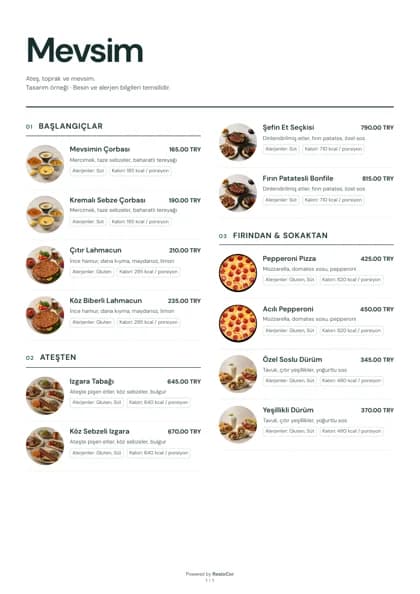
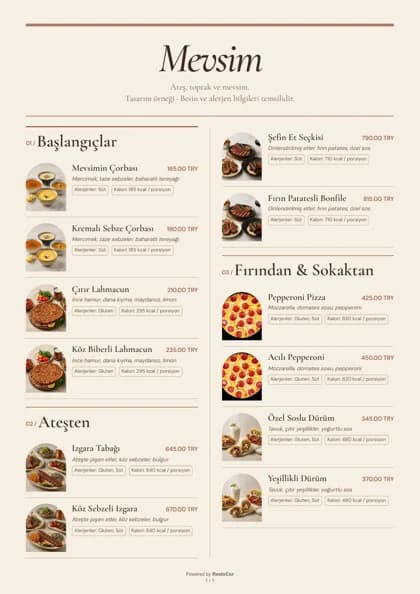
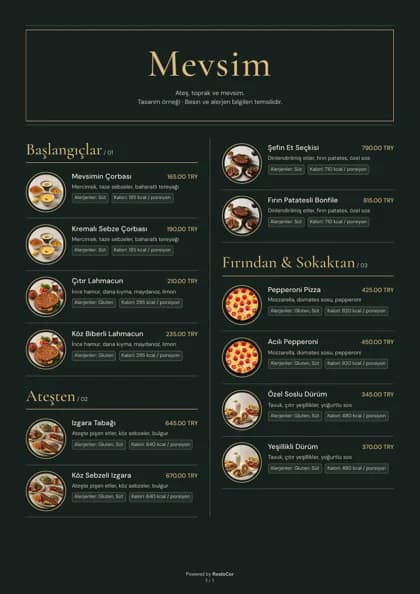
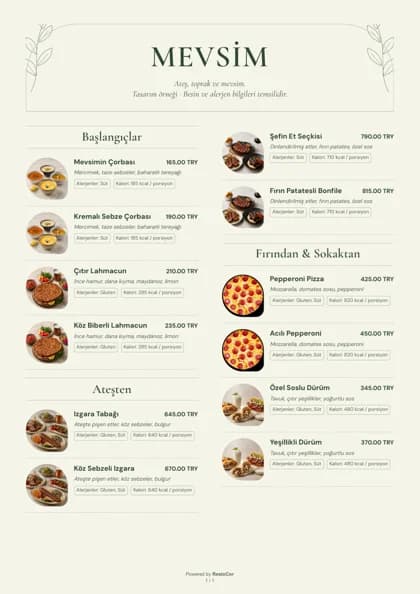
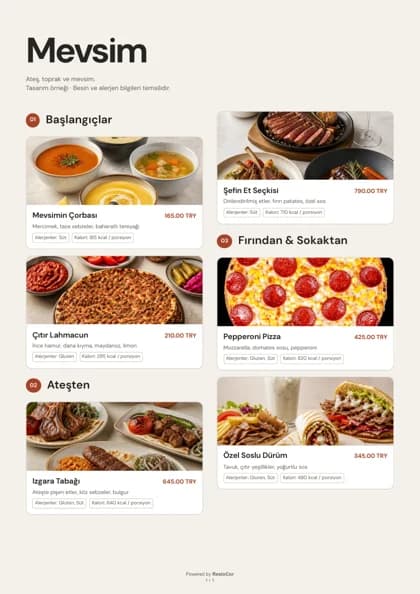
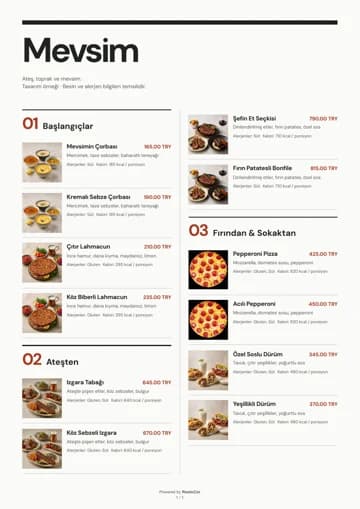
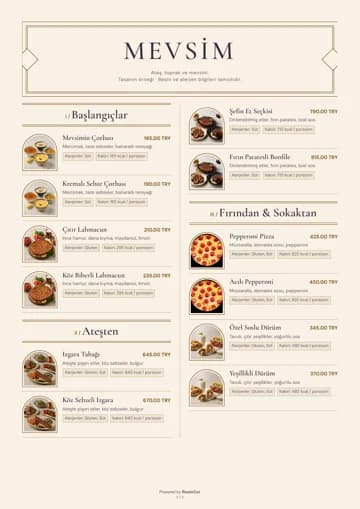
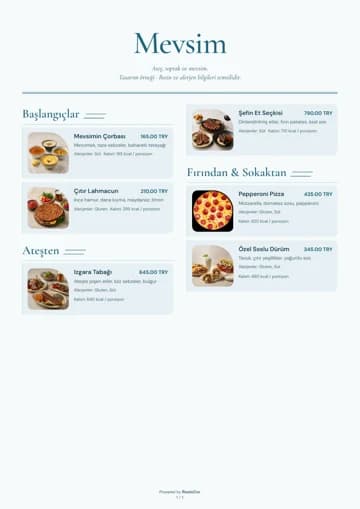
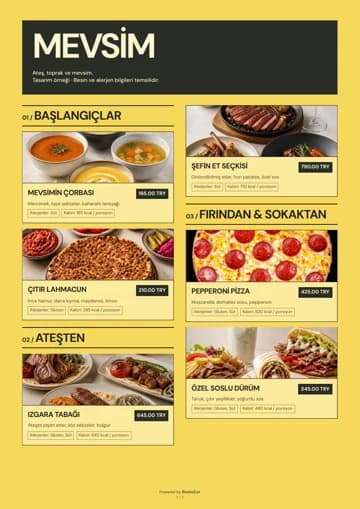
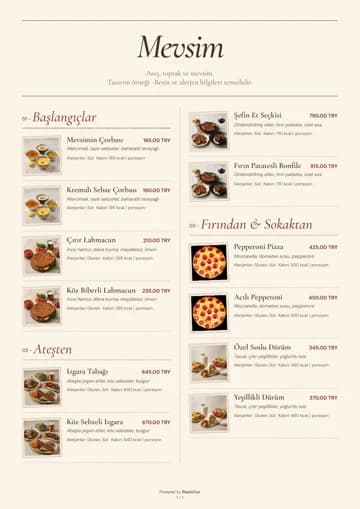
Compare 10 PDF menu designs
These examples were produced by the RestoCor PDF engine. Your products, text and images determine the final page flow.

Your questions answered
Answers to help you choose the right solution for your business.
View all frequently asked questionsHow do I create a print-ready restaurant PDF menu?
Open your branch’s PDF menu maker in RestoCor, select categories and products, then choose a template. Set the A4 orientation and column count, review the live PDF preview and download the file for a final pre-print check.
Can I choose which categories and products appear in the PDF?
Yes. Select a whole category or specific products. Searching does not change your selection. Only selected products that remain published and available appear in the PDF; categories left empty are omitted.
Can I customize PDF menu colors, fonts and backgrounds?
Yes. Each of the 10 designs supports editable colors, font family and text size. Choose a background pattern or upload your own image. Color combinations are checked for text readability.
Can a PDF menu include photos, allergens and calories?
Yes. Product images, ingredients, allergens and calories have separate visibility options. Allergen and calorie fields use information recorded for the product when enabled; the system does not calculate those values automatically.
How does PDF menu creation differ from importing a PDF into a QR menu?
PDF menu creation exports your managed RestoCor products as a printable file. Importing an existing PDF helps turn its contents into digital categories and products. Both workflows can use the same managed menu content.
Are PDF menu preferences saved for each branch?
Yes. Appearance and product selection are saved per branch, using its own products and supported menu languages. Later preference changes do not rewrite an existing selection link; regenerated output still uses current publication and pricing data.
Related solutions
QR Menu
Turn a PDF menu into a digital menu with the RestoCor menu builder. Edit products, categories and prices, then publish your QR menu.
QR Code Design
Design QR codes that reflect your business identity. Customize colors, patterns, logos, and frames to bring your brand to the link that opens your menu.
Multi-Branch and Central Menu Management
Manage branch details and branch menus through RestoCor. Keep menu content organized across locations with a central menu structure.

Manage your restaurant from one hub
Bring the solutions you need together in RestoCor, from digital channels, orders and service to inventory, deliveries, accounting, marketing and reporting.